Velorona
Telecom link evidence, inside QGIS. Explore -> Select -> Analyze -> Evidence -> Export.
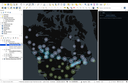
Velorona for QGIS -- Telecom link evidence, inside QGIS. 1. Explore -- Load public telecom infrastructure and your own data. 2. Select -- Choose a site, link, or two endpoints. 3. Analyze -- Run path clearance, microwave weather exposure, or satellite geometry. 4. Evidence -- See what is observed, what is calculated, and what is inferred. 5. Export -- Take the evidence with you as a structured CSV result or an Excel (.xlsx) workbook. Terrain clearance can also be run for many links at once (Processing Toolbox). United States FCC infrastructure loads automatically for the area you view (overview counts when zoomed out, detailed records and clusters when zoomed in; internet required). Three analysis engines, all reused unmodified: Terrestrial Path Clearance (aei_link_clearance), Microwave Weather Exposure (aei_mw_exposure), Satellite/Earth-Space look angles (skyfield/SGP4). Requires aei-microwave-link-exposure (0.2.0 or newer), aei-link-clearance (0.2.0 or newer), aei-geo-features, and skyfield to be installed in QGIS's own Python environment.