02Multimap - Synchronized Map Views
Compare maps side by side in 2 to 8 linked panels, or swipe between two layer sets in one map: before/after, scenario and time series layouts, cross-panel feature inspection, change overlays, true-area readouts, print layouts and offline HTML dashboards.
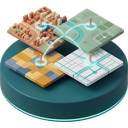
02Multimap opens 2, 3, 4, 6 or 8 linked map panels (split screen) that pan, zoom and rotate together, so scenarios, years or indicators can be read side by side instead of toggled on and off. The Swipe layout shows one layer set over another in a single map, split by a divider you drag, upright or flat. A cursor marker shows the same place in the other panels, and on the main map when Sync Canvas is on.
Click once to inspect vector attributes and raster values at the same point in every panel. A difference view marks what was added in green and removed in red. Each panel can show its feature count and polygon area, measured on the ellipsoid so the figure is true ground area in any CRS. Templates (Before and After, 4-Scenario Matrix, Temporal Timeline), time series auto-fill from years in layer names, presets and a legend drawer set up a comparison quickly; the panel setup is saved with the project.
Export the panels to a print layout, open it in the Layout Designer, or write a self-contained HTML dashboard with legends, scale bars, distance measuring, three themes and a slide mode. A swipe is exported as its two layer sets side by side.
Manual: https://geophilo.com/zero2multimap/manual.html