
Advanced Selection Table
Plugin ID: 4545
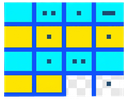
Professional attribute table with two-tier selection (Cyan = Selected, Yellow = Highlighted) for advanced feature filtering and editing
(3) votes
Download latest
Advanced Selection Table is a powerful QGIS plugin that provides a professional attribute table experience with a unique two-tier selection system designed for efficient feature management and editing workflows.
KEY FEATURES:
• Two-Tier Selection System: Cyan background shows your original layer selection, Yellow highlighting marks the subset you want to work with
• Advanced Field Calculator: Create or update fields using expressions, with live preview and the ability to target only highlighted features
• Expression-Based Filtering: Use the powerful expression builder to filter and highlight features matching specific criteria
• Inline Cell Editing: Double-click cells to edit attribute values directly (when layer is in edit mode)
• Dock/Undock Support: Use as a floating window or dock it like the native QGIS attribute table
• Full Edit Mode Integration: Delete, Cut, Copy, Paste operations work on highlighted features
• Zoom to Features: Quickly zoom to your highlighted subset on the map
• Re-select to Highlighted: Narrow your layer selection to just the highlighted subset
HOW TO USE:
1. Select features in your vector layer using any QGIS selection tool
2. Open Advanced Selection Table from Vector → MAS Vector Processing menu
3. Your selected features appear with cyan background (original selection)
4. Click rows to highlight them (yellow) - these become your "target" features
5. Use Ctrl+Click to toggle individual highlights, Shift+Click for range selection
6. All operations (Delete, Field Calculator, Zoom, etc.) work on highlighted features first
7. Use "Re-select to Highlighted" to narrow your layer selection to just the highlighted subset
8. Toggle editing mode to enable inline cell editing and destructive operations






































